Every invoice sent through RO e-Factura is checked by ANAF's validator before it reaches the buyer. If the invoice passes validation, the status becomes ok and the invoice legally exists. If not, you get nok and an error message, and that invoice has not been transmitted, even if it is recorded correctly in the ERP and the customer has already received the PDF. Meanwhile, the 5-working-day deadline for transmission does not stop.
The trouble is that ANAF's messages are technical: rule codes such as BR-CO-15 or BR-RO-100, some in Romanian, some in English, each with a field identifier like BT-112, which are hard to relate to the invoice they refer to. Below we have gathered the errors that come up most often in practice, with an explanation for each one: what ANAF actually checks, where the problem comes from in your data and how you fix it. The messages follow the official documentation and the response files shared by users, so the wording may vary slightly from one validator version to another. ANAF's national rules are reported in Romanian, so we quote them as they appear, with a translation.
How to read ANAF's response
The response to a rejected invoice has two kinds of lines. Those starting with F: are structure errors: a mandatory element is missing or the file does not follow the XML schema. Those starting with E: validari globale SCHEMATRON eroare are content errors, meaning rules of the standard that the invoice does not follow, identified by the rule code in square brackets. The national rules, prefixed BR-RO, are written in Romanian; the European rules from the EN 16931 standard, with prefixes such as BR-CO or BR-CL, are in English. The order matters: the validator stops at structure errors and does not check the content rules, so once you fix the first kind, new ones may appear.
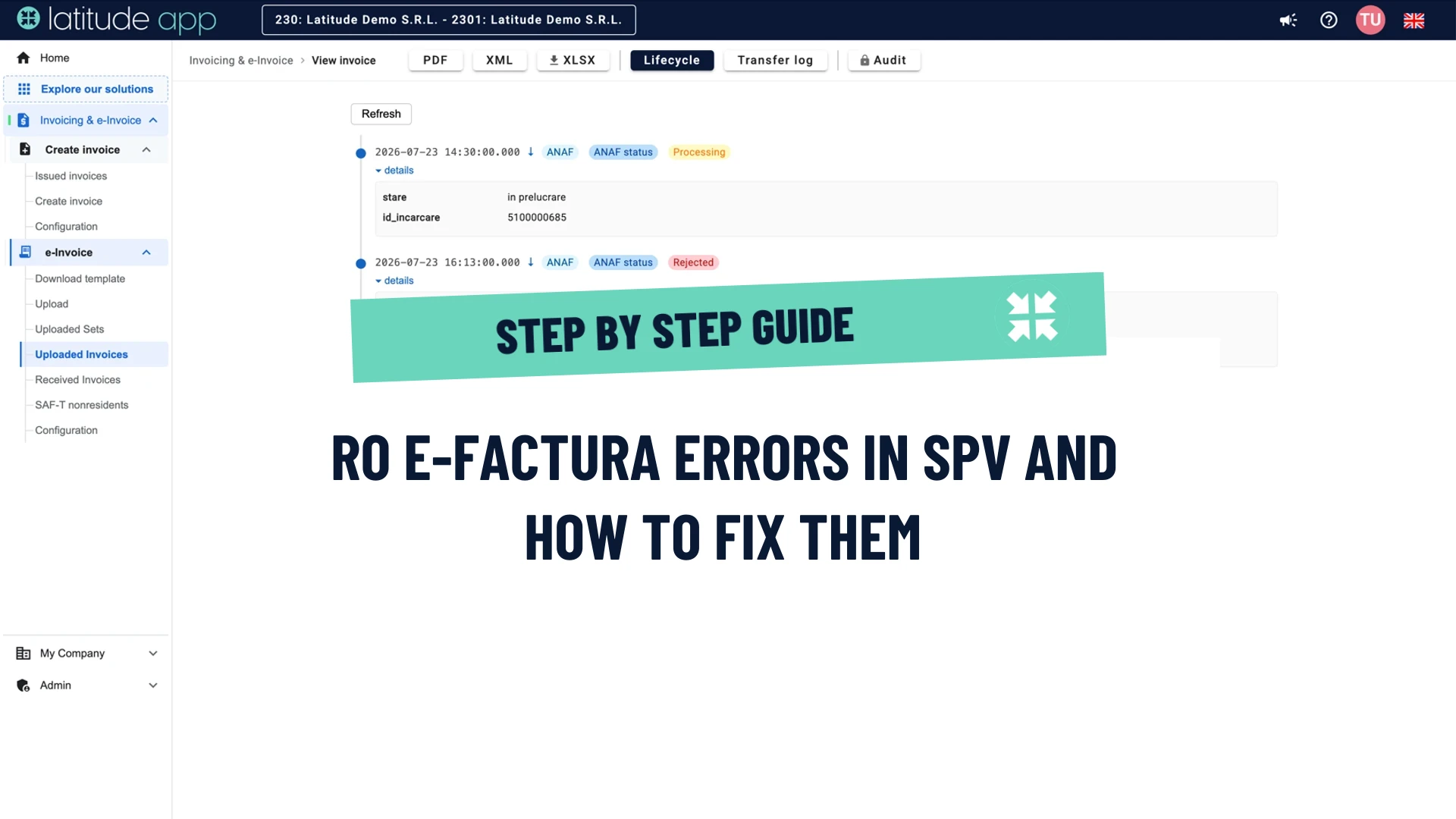
Besides ok and nok there are two more states. in prelucrare ("processing") means ANAF has not finished validating, and XML cu erori nepreluat de sistem ("XML with errors, not taken over by the system") means the file was rejected at upload, before content validation, usually because it is not well-formed XML or does not follow the schema.
The most common RO e-Factura errors
1The totals and the VAT do not add up
This is the most common family of errors and it comes under several codes: [BR-CO-10]-Sum of Invoice line net amount (BT-106), [BR-CO-15]-Invoice total amount with VAT (BT-112), [BR-CO-17]-VAT category tax amount (BT-117) or, in Romanian, Valoarea TVA pentru fiecare categorie de TVA (BT-117) ("the VAT amount for each VAT category"), followed by the two amounts that do not match. Numărul maxim permis de zecimale este 2. ("the maximum number of decimals allowed is 2") belongs here too.
ANAF checks the invoice's sums: the total without VAT must equal the sum of the lines, the total with VAT must equal the total without VAT plus the VAT, and the VAT for each rate must equal the base multiplied by the rate, rounded to two decimals. Differences of a few cents appear when the ERP rounds on each line and then adds up differently, when a VAT rate is missing from the configuration, or when the data comes from an Excel file with more decimals. A discount recorded as a negative line instead of an allowance (AllowanceCharge) has the same effect.
The fix is to compute the totals from the already rounded line amounts, round the VAT for each rate only once, and never send more than two decimals.
2The Bucharest sector and the county code
Two national rules frequently generate errors on the first invoices transmitted. [BR-RO-110] requires the county to be coded under the ISO 3166-2:RO standard, so RO-B, RO-IF or RO-CJ, not "București", "Ilfov" or "Cluj" as text. [BR-RO-100] requires that, when the county is RO-B, the city is one of the sectors, SECTOR1 to SECTOR6, not "București". The same rules apply to the delivery address, through [BR-RO-200] and [BR-RO-210].
The cause is almost always the partner record in the ERP, where the city is "București" and the county is spelled out. The fix lies in the master data: map the counties to the ISO codes and, for Bucharest, fill in the sector in the city field.
3The buyer has no identifier
[BR-RO-120] says that the buyer's legal registration identifier (BT-47) or VAT identifier (BT-48) must be filled in. A variant of the same problem is ANAF's own check, Nu a fost identificat cif-ul cumpărătorului ("the buyer's tax ID was not identified"), which appears when the tax ID in the invoice does not exist in ANAF's registry, for example for a newly founded company, or when the invoice was sent through the wrong channel.
For Romanian buyers, the tax ID (CUI) is entered in BT-47 and, if they are VAT-registered, the code with the RO prefix is entered in BT-48. For buyers outside Romania, without a Romanian identification code, the invoice is uploaded with the extern=DA parameter. For individuals, B2C reporting has its own upload channel, mandatory since 31 March 2025, and if the buyer has no identification code at all, a code made of 13 zeros is used instead. Before issuing, it pays to check the buyer's tax ID, to identify non-existent or non-VAT-registered codes early.
4No SPV rights, or the token has expired
The message Nu aveti drept in SPV pentru CIF=... ("you have no SPV rights for tax ID") has nothing to do with the invoice, but with the authorization. The person whose certificate or account was used to connect is not enrolled in SPV for that tax ID, or the tax ID in the call is not the issuer's from the XML. It usually appears right after enrolling in SPV or after renewing the digital certificate, when ANAF's system may need some time to recognise the new certificate. Only individuals can hold the SPV mandate, so the company needs an enrolled person for each tax ID.
Related to this is the Forbidden response, received without any warning after months of normal operation: the access token, meaning the key through which your application identifies itself to ANAF, has expired. The token refreshes automatically for a period, but the underlying authorization has an annual limit, after which a person must re-authorize the application in SPV, with the certificate. If nobody does, transmission stops without any notification. Keep a record of the authorization date and renew it before the deadline.
5Units, countries and currencies outside the code lists
The electronic invoice does not accept free text where the standard has a code list. [BR-CL-23]-Unit code MUST be coded according to the UN/ECE Recommendation 20 appears when the unit of measure is "buc", "ore" or "lună"; the correct codes are C62 for piece or unit, H87 for piece, HUR for hour, MON for month, DAY for day, KGM, LTR and MTR for kilogram, litre and metre. [BR-CL-15] appears for country codes that are not ISO 3166-1, the most frequent case being Greece: EL is valid only as a VAT prefix, as a country it is written GR. [BR-CL-03] appears for currencies, usually "LEI" instead of RON.
The fix is a mapping done once in the ERP or in the export to e-Factura, from the internal units and codes to those in the standard.
6Incomplete address and fields that are too long
Trebuie furnizată adresa poştală. ("the postal address must be provided", BR-RO-080) and Localitatea trebuie furnizată. ("the city must be provided", BR-RO-090) appear when the street or the city is missing from the partner record or from your own company's. If the element is missing altogether, the error comes at structure level: elementul 'StreetName' ar fi trebuit sa apara de minimum 1 ori ("the element should have appeared at least once"). On the opposite side are the length limits in CIUS-RO: 20 characters for the postal code, 50 for the city, 100 for the item name, 150 for the first address line, 200 for the party names and the invoice number, 300 for notes and payment terms. Long product descriptions from the ERP most often exceed the 100-character limit, and attachments cannot exceed 3 MB.
Check the master data before exporting and truncate item names to 100 characters, with the details moved to a note.
7Reverse charge, exemptions and the RO prefix
The standard has its own rules for each VAT category. [BR-AE-10] requires that, when the invoice has reverse-charge lines, the VAT summary for that category carries an exemption reason code (BT-121) or the text "Reverse charge"; [BR-E-10] requires the same for exempt transactions. [BR-O-11] says that an invoice with transactions not subject to VAT (category O) cannot also contain other VAT categories. And [BR-CO-09] requires the VAT identifier to carry the country prefix: a VAT payer who sends their tax ID without RO in the VAT identifier field gets exactly this error.
The rules to follow: one VAT category per line, a reason code for the AE, E, O and Z categories (for intra-community reverse charge, for example, VATEX-EU-AE), and the RO prefix only on VAT identifiers, never on the legal identifier in BT-47.
8The invoice header: type, number, currency, specification
A few rules check not the content but the document's identification elements. [BR-RO-001] requires the specification identifier (BT-24) to be exactly urn:cen.eu:en16931:2017#compliant#urn:efactura.mfinante.ro:CIUS-RO:1.0.1; any other version is rejected. [BR-RO-020] accepts only the invoice types 380 (invoice), 389 (self-billed invoice), 384 (corrected invoice), 381 (credit note) and 751. [BR-RO-010] requires the invoice number to contain at least one digit. [BR-RO-030] requires that, when the invoice is in another currency, the VAT currency is RON.
A frequent confusion belongs here too: a credit note validated as an ordinary invoice is rejected at schema level, because the document starts with the CreditNote element, not with Invoice. Use the FCN type for validation and the standard=CN parameter for upload.
9The invoice sent twice
This is not an error message but a side effect of the in prelucrare state: validation sometimes takes several minutes, a user presses "Send" again, and in the end both uploads pass. Since January 2024, ANAF rejects the second upload of an identical file and records the invoice only once, but two nearly identical files, for example with the series filled in differently, pass as two separate documents. Once validated, an invoice can no longer be deleted from SPV: the duplicate is resolved with a credit note, not with a message to ANAF.
The simple rule is not to resend while the status is in prelucrare, and to keep a record showing, for each invoice, what has already been sent and with what result.
10The file can no longer be downloaded
Fisierul nu mai poate fi descarcat pentru ca a trecut perioada de 60 de zile ("the file can no longer be downloaded because the 60-day period has passed") is the message you get when looking for an older invoice in SPV. ANAF keeps messages available for 60 days, and the message list cannot be requested for a period older than 60 days. After that, the sealed archive, meaning the XML with the Ministry of Finance signature, the invoice's legal original, is no longer served; it can be requested individually through the SPV contact form. The API limits belong here too: 1,000 calls per minute, 10 downloads per message per day, 100 status queries per message per day, and repeatedly ignoring them can lead to the access being blocked.
The practical conclusion is that received and sent invoices must be downloaded and archived as they appear, not when they become necessary, and queries must be kept within the permitted limits.
The 5-working-day deadline and what a nok really means
Since 1 January 2026, the invoice is transmitted to RO e-Factura within 5 working days from the issue date, but no later than 5 working days from the legal deadline for issuing, meaning the 15th day of the following month. An invoice with the nok status has not been transmitted: you correct it and resend it, with the same number, within the deadline. If the deadline is exceeded, the fine for late transmission is between 5,000 and 10,000 lei for large taxpayers, between 2,500 and 5,000 lei for medium ones and between 1,000 and 2,500 lei for the rest. Not transmitting a B2B invoice, and recording in the books an invoice received outside the system, are each fined with 15% of the invoice value. In 2026 there is no grace period left. We covered the penalty regime in our article on entrepreneurs' fears about RO e-Invoice.
How to correct an invoice already validated
An invoice with the ok status can no longer be changed or withdrawn. If you found a mistake after validation, ANAF's recommendation from its question-and-answer sessions is to reverse the original invoice with a type 380 document with negative values and to issue the correct invoice as type 384, referencing the original. Code 381 remains valid under the rules, but ANAF discourages using it for corrections. Response messages (RASP) are reserved for a buyer disputing an invoice, not for reversals.
How Latitude App helps
In the e-Factura module in Latitude App, every invoice is validated before it leaves against the same ruleset ANAF applies, so you see the errors above in the platform, with their explanation, before they reach SPV. When ANAF still rejects an invoice, the rejection remains attached to the invoice, with the full text of the error, in the same list as all the others, and ANAF's temporary technical errors are retried automatically. The platform also checks whether an invoice has already been transmitted, in order to avoid duplicates, and when issuing, the partner's details fill in automatically from ANAF, by tax ID, which removes a large part of the address and identifier errors.
For the 60-day window, Latitude App scans SPV continuously and stores every sealed archive as soon as it appears, in both directions, and it refreshes the ANAF token by itself for as long as ANAF allows, warning you well before the manual re-authorization is needed. If you also invoice in other countries, the same invoices leave from the same platform through Peppol, SDI or the French registered platforms.
You can test with your own invoices: create an account, connect SPV on ANAF's test environment and see the validator's response before the first real invoice.
Frequently asked questions
What does the nok status mean in e-Factura?
That ANAF found at least one error and the invoice was not transmitted to the buyer. The error message is in ANAF's response, with the code of the rule that was broken. You correct the data and resend the invoice, with the same number, within the 5-working-day deadline.
Why do I get errors in English and errors in Romanian?
Because the rules come from two sources. The European rules from the EN 16931 standard, with codes such as BR-CO-15 or BR-CL-23, are written in English. The national rules from CIUS-RO, prefixed BR-RO, are written in Romanian. The validator applies all of them, in order: first the structure, then the content.
How long can I download invoices from SPV?
60 days from the message date, with at most 10 downloads per message per day. After that, the file is no longer available through the API or in SPV and must be requested individually from ANAF. The safest approach is to download and archive invoices as they appear.
Can I delete an invoice validated by mistake?
No. An invoice with the ok status can no longer be deleted or changed. It is corrected through a reversal and, where needed, by issuing a corrected invoice of type 384, referencing the original.
What fines apply in 2026?
Late transmission is fined between 1,000 and 10,000 lei, depending on the taxpayer category. Not transmitting a B2B invoice, and recording an invoice received outside the system, are fined with 15% of the invoice value. The grace periods have ended.
The information is valid as of the publication date, October 2026.
Simplify fiscal compliance with Latitude App
Invoicing, e-Invoice, e-Transport, SAF-T, e-VAT, VAT Statements, VAT Codes Check, Procure-to-Pay (P2P) and XML Reporting — all in one cloud platform. Test for free, no obligations.