E-invoicing in Romania
 You're already sending to ANAF. The question is what happens when something breaks.
Every Romanian company has an e-Factura solution by now. Very few have an answer for the invoice ANAF rejected three weeks ago, the token that expired over the holidays, or the sealed originals that quietly stopped being downloadable. That's the part we built.
Updated: 3 August 2026 · 4 min read
- Direct SPV connection via the ANAF API
- UBL 2.1 · CIUS-RO built in
The gap
Compliant on paper, exposed in practice
Sending an XML to ANAF is the easy part; most ERPs manage it. What separates a company that is genuinely covered from one that only looks covered is everything that happens afterwards: whether anyone noticed the rejection, whether the sealed original was downloaded before it stopped being available, whether the authorization is still alive.
None of these fail loudly. They fail on a Tuesday in August, in a system nobody has opened for two weeks, and surface months later during an inspection or a payment dispute.
In practice
What actually goes wrong
The rejection nobody chased
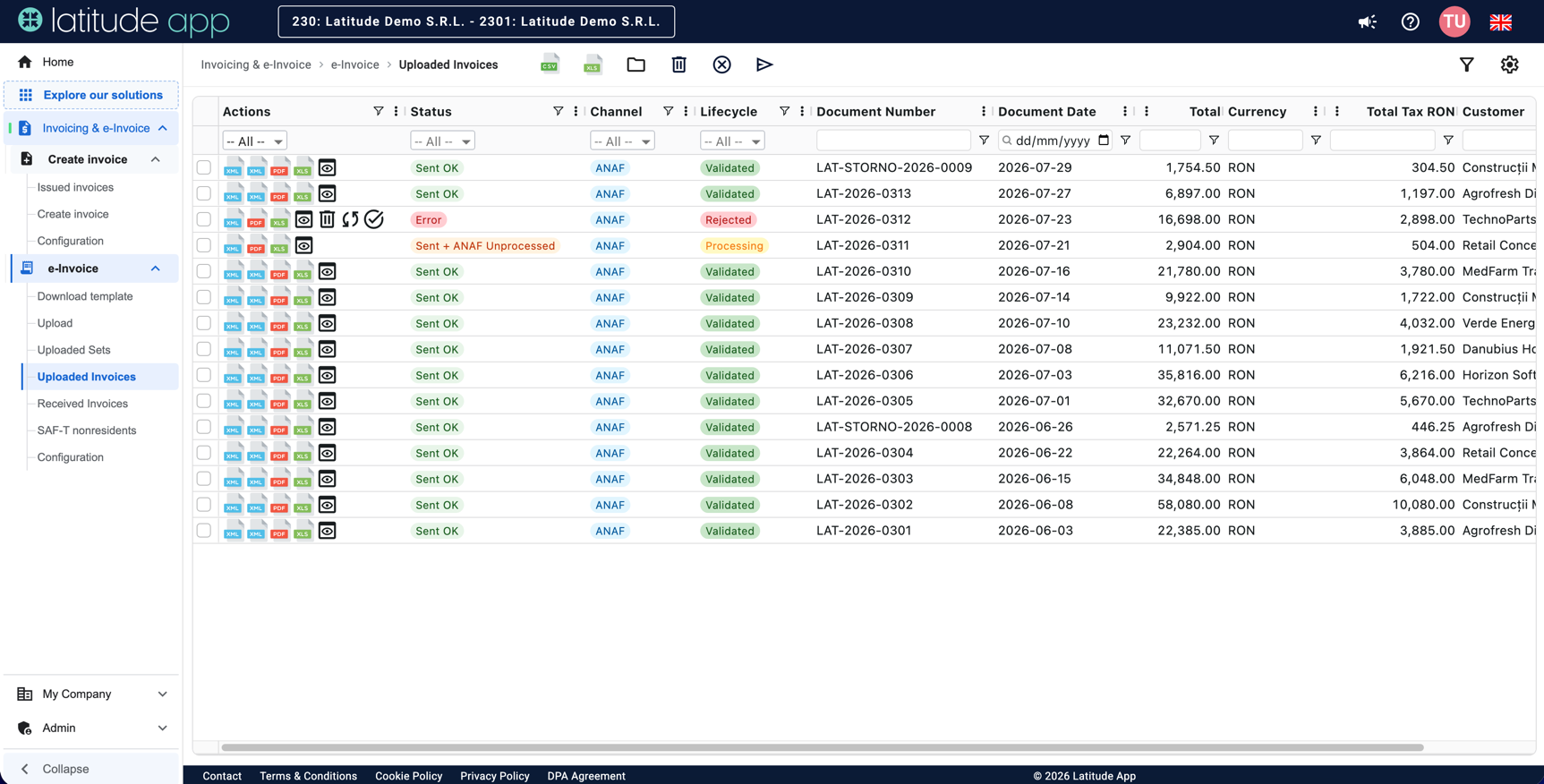
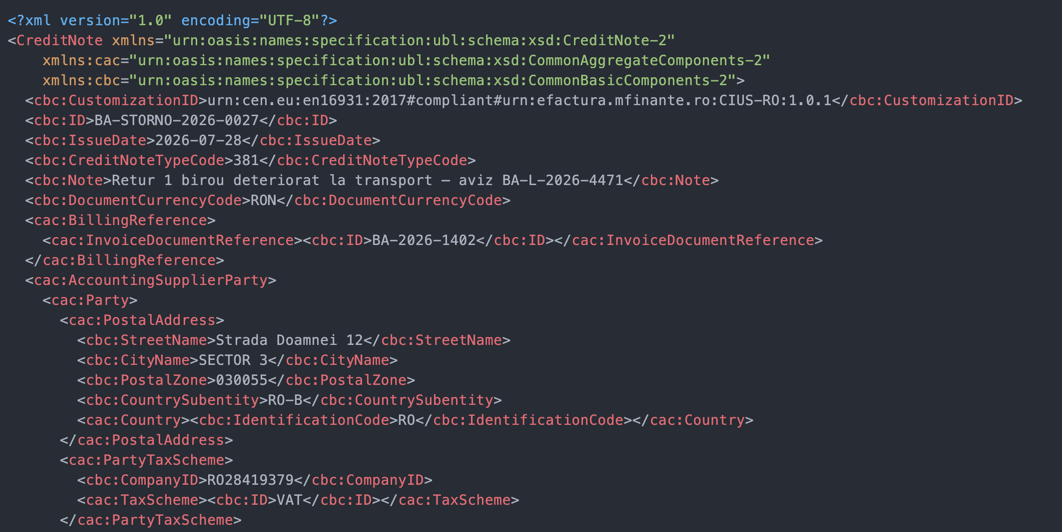
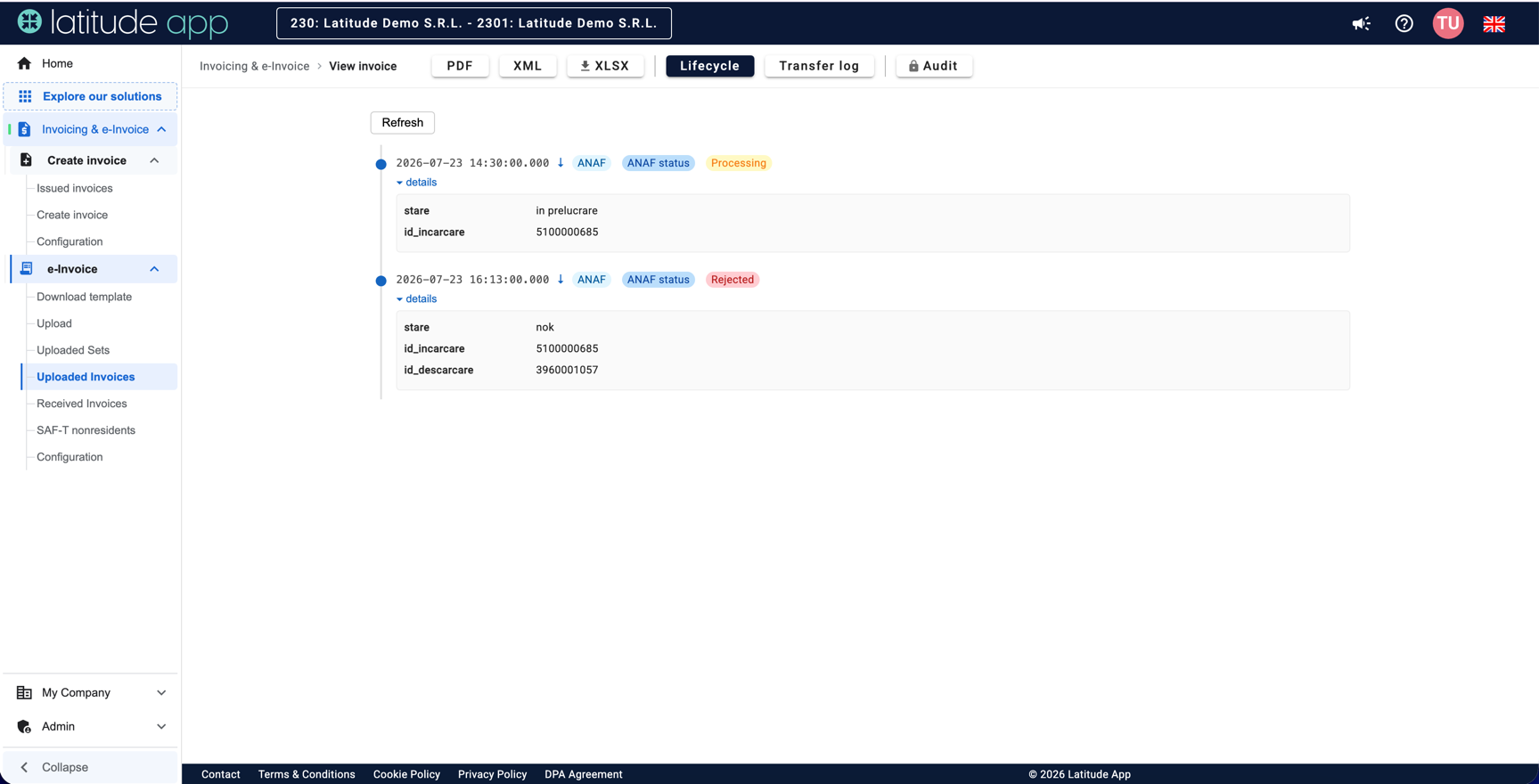
ANAF validates against the CIUS-RO ruleset and answers „nok" with the exact error. That invoice doesn't legally exist, but your accounting system already recorded it, your customer already received the PDF, and the 5-working-day deadline keeps running. In Latitude App the rejection sits on the invoice with ANAF's error text in full, in the same list as everything else. You don't have to go looking for it in SPV.
The originals that expired
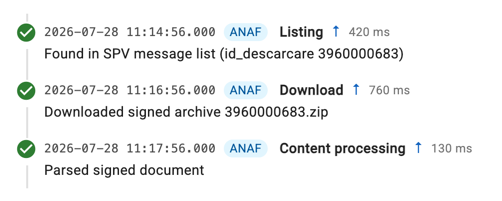
ANAF keeps a message available for roughly 60 days, and allows a limited number of downloads per message. After that, the sealed archive, the XML plus the Ministry's signature, your legal original, is simply no longer served. Companies discover this when they need a specific invoice from eighteen months ago. Latitude App sweeps SPV continuously and stores every sealed archive as it appears, in both directions, so the question never comes up.
The authorization that died quietly
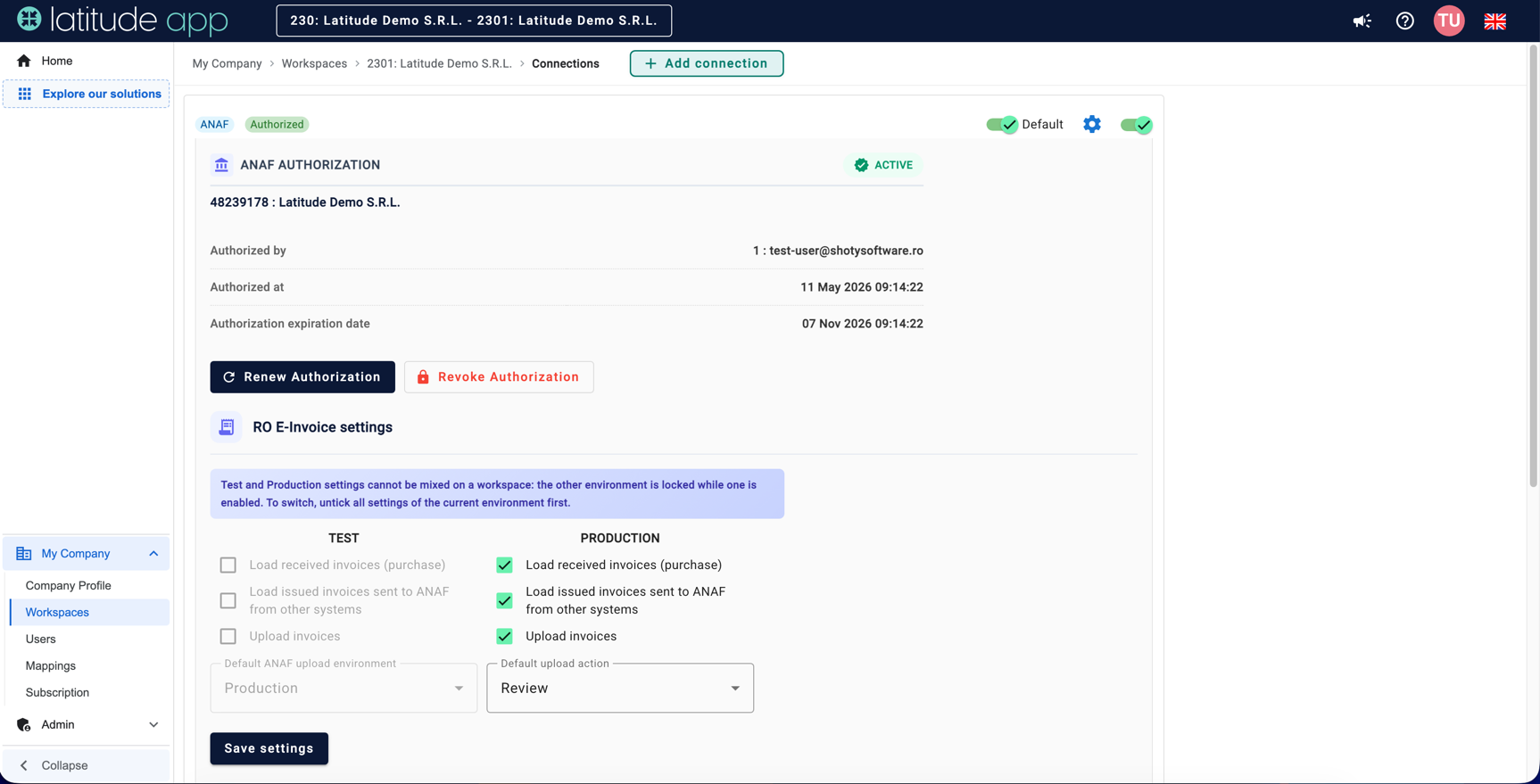
The ANAF token is refreshed automatically only up to a point: the underlying authorization has a hard annual limit, after which a real person must re-authorize in SPV. If nobody does, transmission stops, without an error, without an email, without anything visibly wrong in your ERP. Latitude App refreshes the token on its own for as long as ANAF allows, and warns you well before the manual step becomes necessary.
The solution
How we handle it
Sending
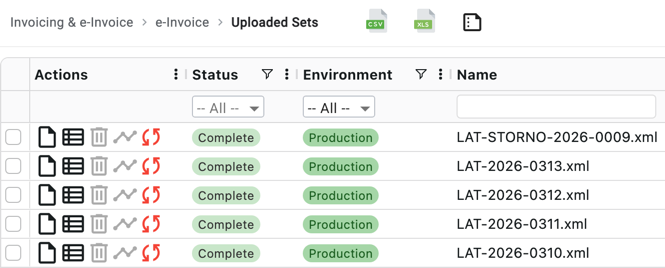
Invoices reach ANAF from wherever they already exist: your ERP export, SFTP, our API, a file drop, or invoices created directly in Latitude App as CIUS-RO XML. Each one is validated against the same ruleset ANAF applies before it leaves, so rejections are the exception rather than routine.
Receiving
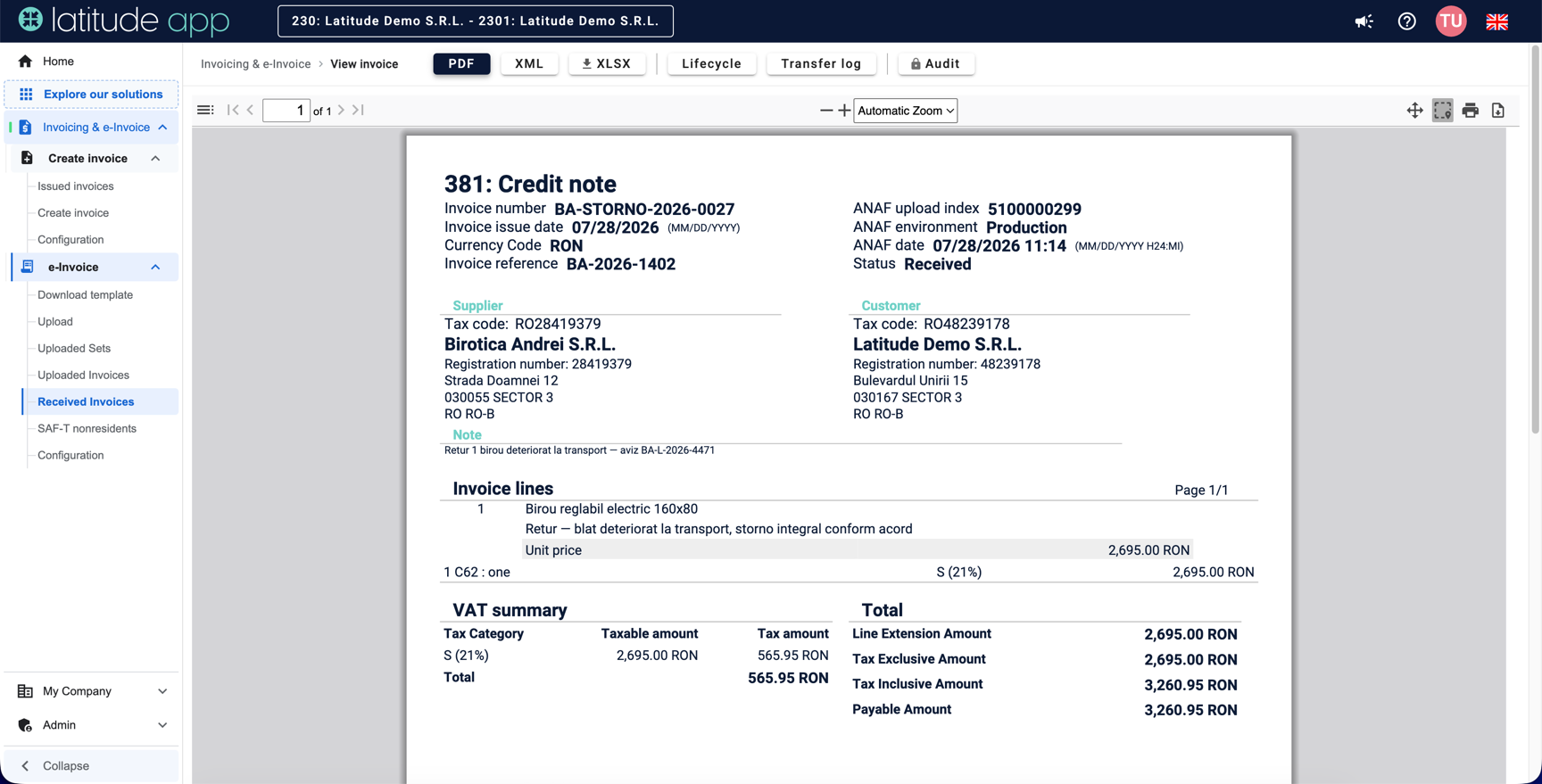
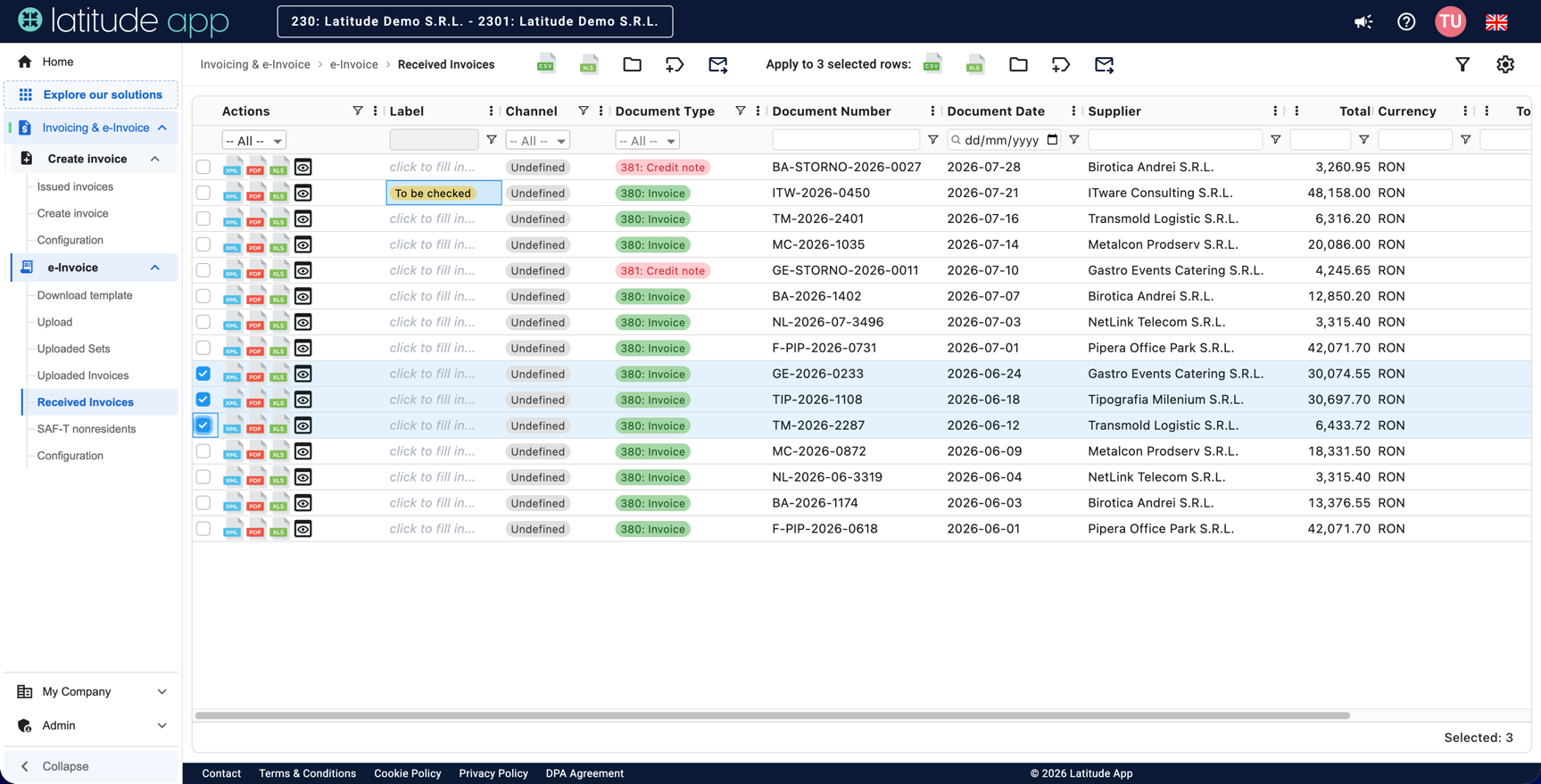
Supplier invoices arrive parsed and readable, with the sealed archive attached, and go straight into an approval flow: routed to the right people, labelled automatically by supplier or amount, with your own columns for whatever your process needs. Anyone can read the invoice as PDF or Excel without touching the XML.
Keeping
Every original, every ANAF response and every status change is stored and searchable, linked to the invoice: an archive you can hand to an auditor rather than reconstruct.
The rest of what ANAF asks of you
Romanian compliance doesn't stop at invoices, and neither does the platform. e-Transport declarations with UIT codes for road shipments. SAF-T (D406), including the separate flow for non-resident companies registered for VAT in Romania, which most tools ignore entirely. The pre-filled e-TVA return, fetched and compared against your own data, so you see the differences before ANAF does. VAT statement correlations across D394, D390 and D300.
Same data, same login, same people, instead of four vendors and four exports.
Inside the app
What it looks like in Latitude App
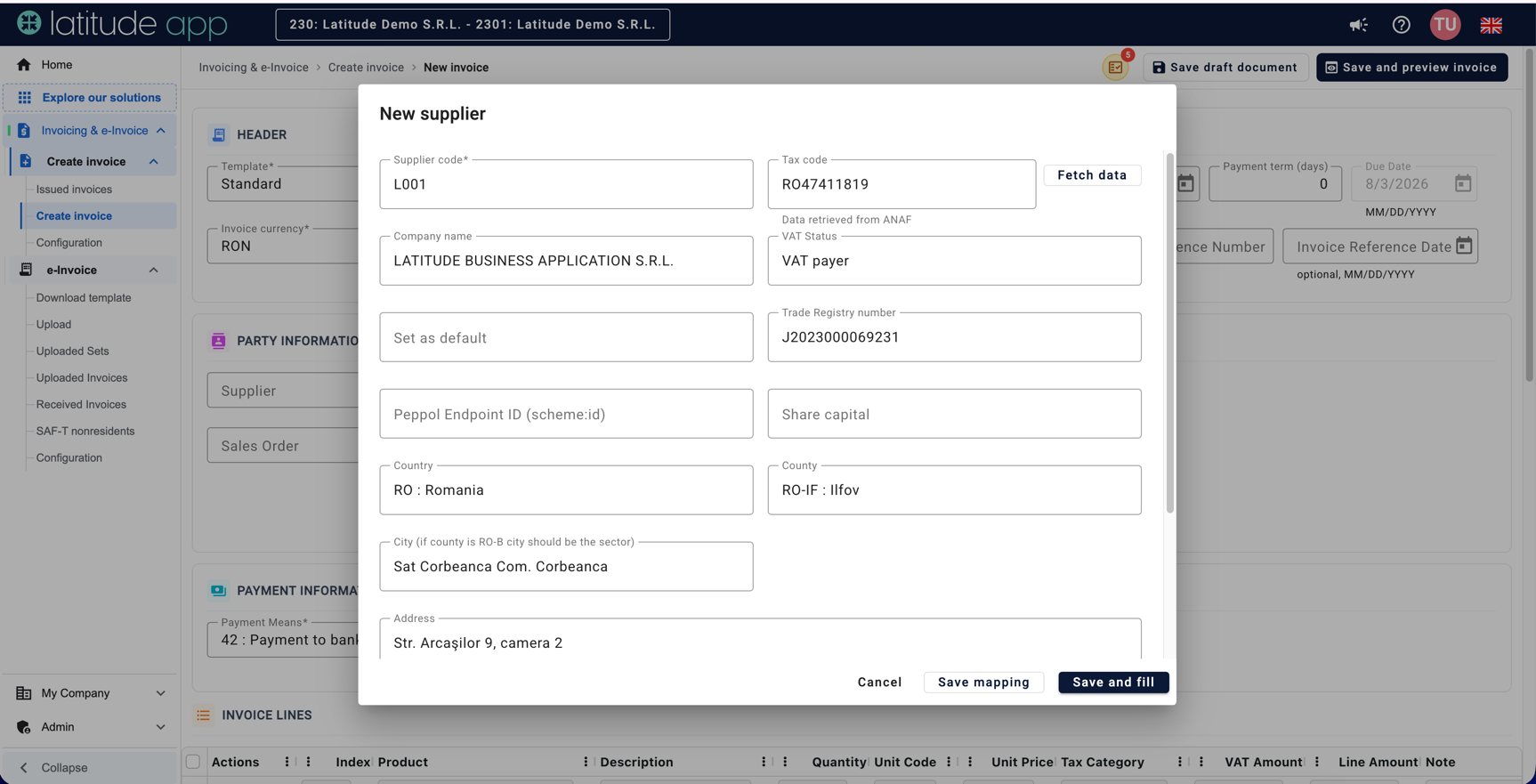
Real screenshots from the platform, from issuing all the way to the Ministry of Finance seal.
We already send through our ERP. Why change anything?
You probably shouldn't change the sending: keep the ERP as the source. What most companies are missing is the layer after: chasing rejections, archiving originals before they expire, keeping the authorization alive, and getting supplier invoices into an approval flow instead of an inbox. Latitude App can sit on top of what you have.
What happens to an invoice ANAF rejects?
It appears in your list with the full ANAF error text, marked clearly, and it stays visible until someone deals with it. You correct the data and resend, within the same legal deadline; that is why noticing on day one instead of day twelve matters.
How far back can you recover our invoices?
Automatically, only as far as ANAF still serves them: roughly 60 days per message, with a download limit. Anything older that was never downloaded can only be recovered through a formal re-provisioning request to ANAF, a slow, manual process. From the moment you connect, we archive everything as it appears. If you have a gap, tell us early: the sooner we connect, the less has to take the hard road.
We're a foreign company with a Romanian VAT number, no local entity. Does this concern us?
Yes, on two fronts: your Romanian transactions fall under e-Factura, and since 2025 you owe SAF-T (D406) as a non-resident. We have a dedicated flow for non-resident SAF-T; the invoicing side works the same as for a local company.
How long does it take to start?
Authorization is a few minutes in the app. Getting your first invoices flowing is usually a matter of days, depending on where they come from. Migrating an existing archive and setting up approval rules takes longer, but sending and receiving don't wait for it.
This article is for information purposes only and does not constitute tax or legal advice. Romanian e-invoicing rules may change; the information reflects the situation at the date of the last update.
For groups
If Romania is one country out of several
The Romanian entity works exactly as described above. The Italian one goes through SDI, the French one through a registered platform before September 2026, the Belgian and German ones over Peppol, through our own Access Point. One platform, one set of users and, in total, 24 European countries, with country-specific rails underneath.

Italy · SDI
Italian invoices travel through the Sistema di Interscambio, on the same platform.
Read the guide →
France · The 2026 plateformes agréées reform
Connected through a registered platform, before September 2026.
Read the guide →
Belgium · Peppol mandate 2026
Structured exchange over Peppol, through our own Access Point.
Read the guide →
Germany · B2B mandate 2025–2028
XRechnung and Peppol BIS, received and sent from the same login.
Read the guide →Testimonials
What our clients say
Real feedback from companies across Romania and international clients using Latitude App for tax compliance.
Want a process this simple too?
Book a demo
Gabriel Băluță
Senior Accountant
Banking
Société Générale Global Solution Centre SA
Latitude App is very useful, reliable, and user-friendly. We integrated the app with our ERP for incoming and outgoing invoices and automated e-Invoice transfer with SPV, which helped us comply more easily with legal requirements and improve process efficiency.

BrandSafway Shared Services SRL
GL Team Leader
Support Services
Latitude App is incredibly user-friendly, intuitive, and customer-focused. Its intuitive interface helps us provide improved quality services, significantly reduces process times, and makes it an essential tool for our daily operations.
Alstom GCC Romania SRL
Chief Accountant
Shared Services
Latitude App is intuitive, fast, and reliable, handling invoices smoothly while ensuring compliance and saving valuable time through automation. The e-Invoicing app has had a highly positive impact on our organization by reducing manual effort, minimizing errors, accelerating financial workflows, and strengthening audit readiness.

Morar Elena-Mihaela
Construcții
Hunnebeck Romania SRL
Latitude App simplifies the invoicing process and makes day-to-day operations easier to manage. The application is intuitive, quick to learn, and provides exactly the functionality our team needs to efficiently manage electronic invoicing requirements.












Talk to someone who has already seen your problem
Tell us where it hurts: the rejections nobody has time to chase, the archive with holes in it, the month-end that takes three days. We'll show you what it looks like when that part is handled.